Features Watch Screens How-To Pricing FAQ Download

For AutoGyro Pilots

Your gyroplane,
perfectly kept.

GyroCare Pro keeps your aircraft, your logbook and your flights in one place — maintenance tracked against tach time, service bulletins the day they publish, preflight weather before every flight, a live wind compass in the cockpit, and every flight recorded.

Free for 30 days · No credit card · iPhone

✦Bulletin alerts ✦Maintenance tracking ✦GPS logbook ✦Wind compass
GyroCare Pro dashboard
✦ALL AUTOGYRO MODELS INCLUDED ✦OFFICIAL MANUAL SCHEDULES ✦NO ACCOUNTS, NO TRACKING ✦YOUR DATA STAYS ON YOUR PHONE

Why pilots switch

Everything your aircraft needs.
Nothing it doesn't.

Bulletin Alerts

New AutoGyro service bulletins land in your notifications the day they publish.

Maintenance Tracking

100-hour, annual and calendar tasks tracked against tach time — nothing slips.

Google Earth Paths

Export any flight as KML and relive it in Google Earth.

Wind Compass

Fly the numbers, not the guess: present-position wind refreshed every 30 seconds, cross-checked with the nearest METAR — direction, velocity and gusts for takeoff, en route and landing.

The launch film

See it in 16 seconds

Built by a pilot, for pilots. Sixteen seconds of GyroCare Pro doing its thing — the reel the gyro groups keep sharing.

  • ▸Every AutoGyro model, engine and rotor combination built in
  • ▸Maintenance schedules straight from the official manuals
  • ▸Try the live demo in your browser — no download needed

Inside the app

One app for the whole aircraft

From the preflight weather check to the 100-hour inspection, GyroCare Pro keeps your gyroplane, your logbook and your flights in one place. Every screen, right here:

Flight tracking

Flight Tracking

GPS flight recording with path, speed and altitude profile.

Dashboard

Dashboard

Tach hours, notifications and maintenance summary at a glance.

Wind compass

Wind Compass

Two winds, one compass — fly the numbers, not the guess: live wind at your position every 30 seconds, plus the nearest airport's METAR. Direction, velocity and gusts, from takeoff to touchdown.

Logbook

Logbook

Hours timeline, per-year breakdown, CSV and PDF export.

Maintenance

Maintenance

Every manual task, scheduled against your tachometer.

History

History

Complete maintenance log — every task, date and tach hour, filterable by category.

Preflight weather

Preflight Weather

10-day wind forecast, density altitude and preflight checklist.

Under the cowling

Serious about maintenance

GyroCare Pro is built around the official AutoGyro documentation — not generic checklists.

1

Every task from the manuals

Complete maintenance schedules from the official AutoGyro manuals, for every model — matched to your exact aircraft and engine.

2

Service bulletins, automatically

The app checks the AutoGyro website for new service bulletins and surfaces them under the affected tasks.

3

Deep-links to the manual

Each task links to the exact manual section with the procedure details and pictures.

4

Tach-driven scheduling

100-hour, annual and calendar items count down against your tachometer hours — with overdue and due-soon warnings.

5

Your data stays yours

Everything lives on your device. No accounts, no cloud, no tracking. Export backups and PDFs whenever you like.

6

Fly, then relive it

Track flights with GPS and export any of them to Google Earth (KML) straight from the logbook.

Watch it in action

See the app fly

Two quick tours, recorded from the real app — maintenance tracking and flight tracking.

Maintenance tour

Tasks, tach countdowns and bulletin alerts, end to end.

Flight tracking tour

Record a flight, then open it in Google Earth.

All 13 how-to videos ↓

How-to videos

Learn every screen, in minutes

The complete 13-video series — recorded from the real app, with a tap marker on every touch so you can follow along on your own phone.

01Dashboard Tour

02Finding a Due Task

03Logging a Completed Task

04Task Details: How-To, Procedure & Manual

05Adding a Custom Task

06History Tour

07Editing & Deleting History

08Weather & Flight Recording

09Aircraft Setup

10Adding a Flight

11Editing & Deleting a Flight

12Exports & Imports

13Service Bulletins

The story

"I couldn't find an app that treated my gyroplane like a real aircraft. So I built one."

GyroCare Pro was designed and built by a gyroplane pilot in Waco, Texas — and flown, tested and refined on his own AutoGyro, flight after flight.

Every schedule comes from the official AutoGyro manuals. Every feature exists because a pilot needed it on the ramp, not because it looked good in a boardroom.

Built by a pilot, for pilots. That's not a slogan — it's the development process.
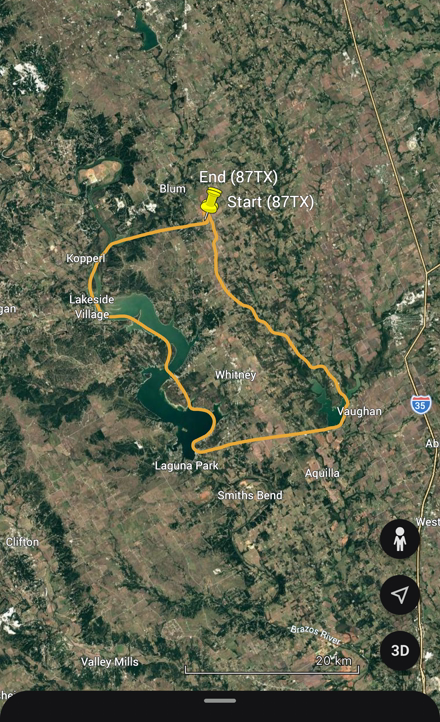
A real GyroCare Pro flight track in Google Earth
A real flight, exported. Every flight you record can be opened in Google Earth as a full 3D track — straight from the logbook.
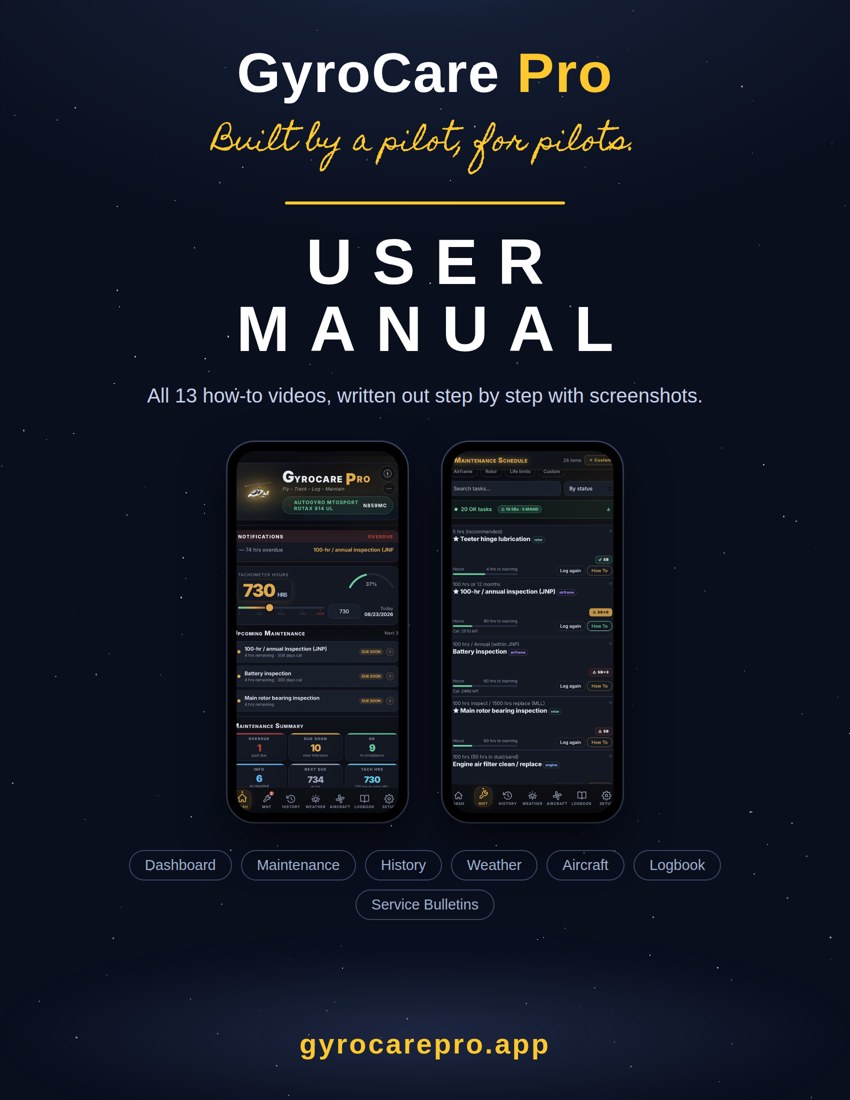
GyroCare Pro user manual cover

Full documentation

A 36-page manual,
written like the app works

Every screen, every workflow, chapter by chapter — mirroring the 13 how-to videos. Keep it in the hangar or on your iPad.

Download the manual (PDF)

Pricing

Try it free for a month

Full access for 30 days — no payment, no paywall. Then pick the plan that fits how you fly.

Start here

First 30 days

FREE

Every feature unlocked from your first launch. No credit card required.

  • Full maintenance schedules
  • GPS flight tracking & logbook
  • Bulletin alerts & weather
Flexible

Monthly

$2.99/mo

Full access, billed monthly. Cancel anytime in the App Store.

  • Everything in the free month
  • All future updates included
Best value

Yearly

$29.99/yr

One payment a year — less than monthly billing over 12 months.

  • Everything in the free month
  • All future updates included

Subscriptions are handled securely through the App Store and apply per Apple ID.

Questions

Before you ask

Which aircraft does it support?

All AutoGyro models are included, with each model's own maintenance schedule matched to your exact engine and rotor combination.

Where does my data live?

On your iPhone — only. No accounts, no cloud, no tracking. You can export backups, CSVs and PDFs whenever you like.

How does the free month work?

Download the app and you get 30 days of full access from first launch — no credit card, no trial to cancel. After that, subscribe monthly or yearly to keep going.

Does it work without signal at the airfield?

Yes. Your schedules, logbook and history live on the device. Weather and bulletin checks update whenever you have a connection.

Is there an Android version?

GyroCare Pro is iPhone-only for now. An Android version will follow if enough pilots ask for one — tell us at support if that's you.

Who do I contact for help?

Email ahmarautogyro@gmail.com — you'll hear back from the pilot who built it.

Get the app

Scan to download

Free on iOS. Your first month is on us.

QR code to the App Store
Download on the App Store

Point your iPhone camera at the code, or tap the badge.